How do I view the billing and invoice information related to my main account?
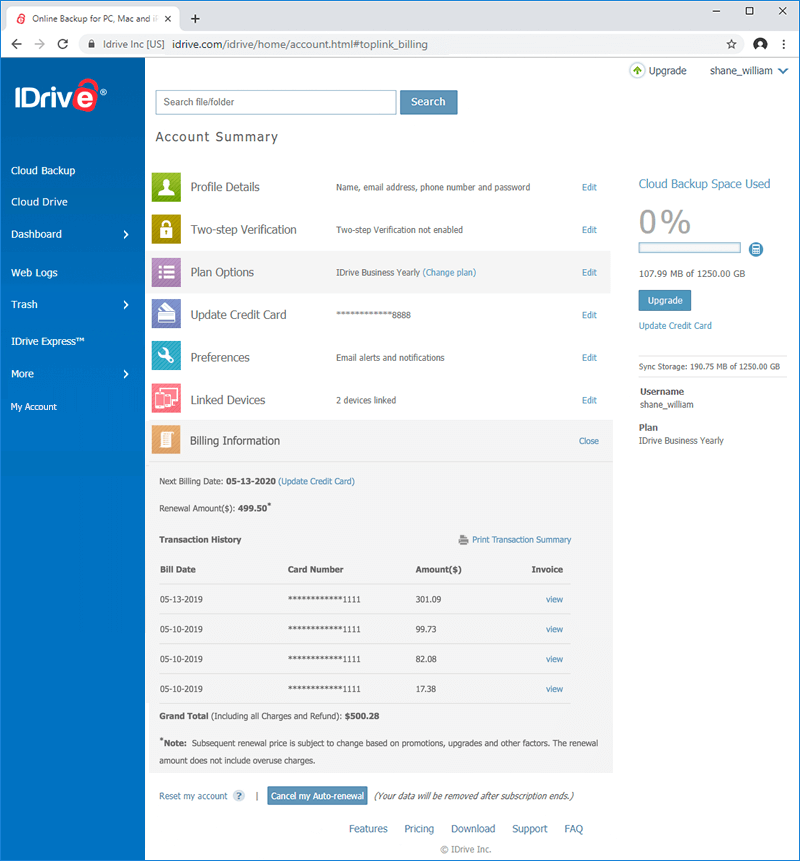
The IDrive account lists information like current plan, amount charged and transaction dates of your subscription. You can view invoices of the current and previous transactions.
To view invoice of your IDrive subscription,
Sign in to your IDrive account and click on your user-name, on the top right corner of the screen.
Select Billing Information for a summary of all your transactions.
Click the view link against the appropriate billing date, for invoice of each transaction.
The credit card that I had used to sign up for an IDrive account has expired and I have outstanding payments towards my account. What should I do?
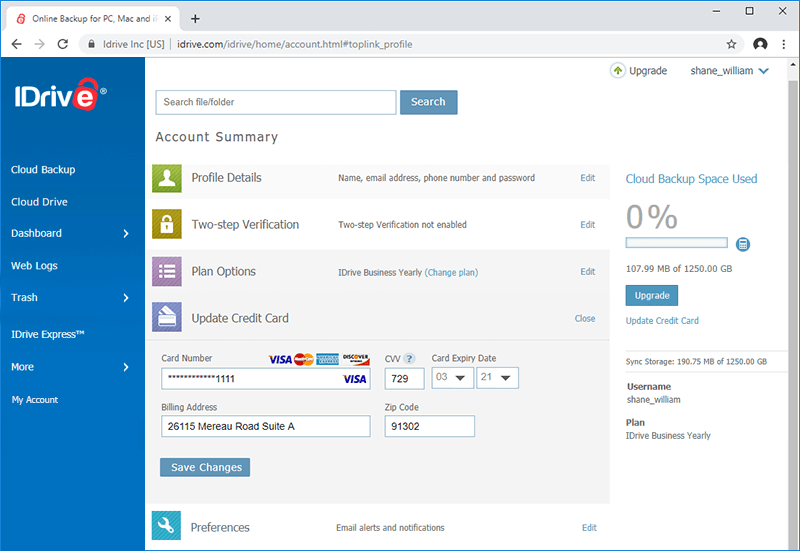
You can update your new credit card details and continue with your subscription.
Sign in to your IDrive account and click on your user-name, on the top right corner of the screen.
Under the Update Credit Card section, enter the new credit card details (Card Number,
Card Type, Card Expiry Date, and Zip Code).
Click Save Changes > Apply Pending Charges to complete the process and to settle the dues
towards your IDrive account.
Why am I unable to use my credit card to make a payment towards the IDrive subscription?
We accept MasterCard, Visa, American Express, Discover and Diners Club cards.
This problem may arise due to the following reasons while subscribing for an IDrive account:
Credit card number and expiry date may be inaccurate.
The online authorization system may fail certain valid credit cards outside US in the address verification test.
Why has auto-renewal been activated for my account? How do I disable it?
Auto-renewal makes renewal of your subscription simple with a hassle-free, automatic transaction. It also ensures that your account is always active so your data remains protected.
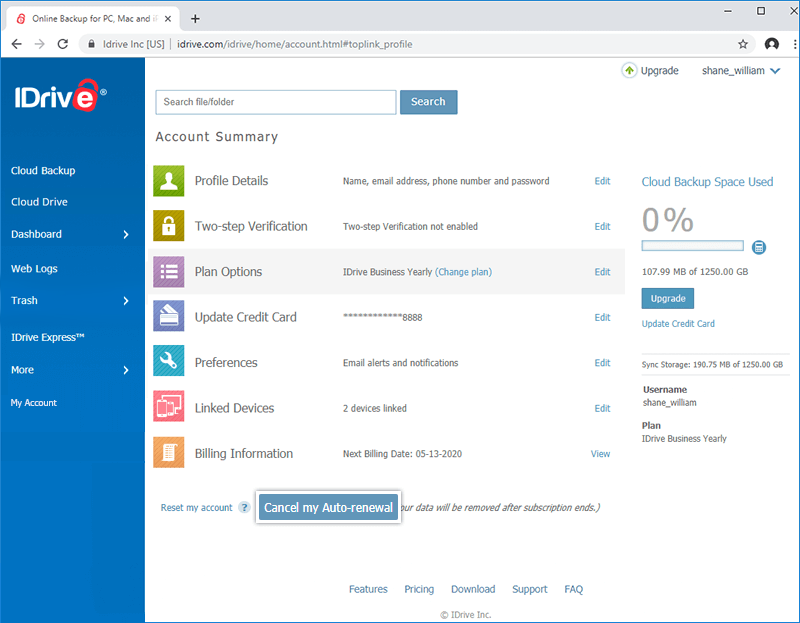
If you wish to disable auto-renewal, sign in to your account via our website, and click the username displayed in the top-right corner of the screen. Select 'Profile' under 'Account' section, and click the 'Cancel my Auto-renewal' button.
Remember that disabling auto-renewal will leave your files vulnerable to disasters after your current subscription term ends. You will lose access to your IDrive account, and your files and folders will be permanently deleted from the IDrive cloud.
What happens after I cancel my account?
Refunds for monthly and yearly subscriptions can only be issued for accounts cancelled within 15 days of their creation.
Yearly refunds may be provided on a case-by-case basis if there has been a technical issue affecting your quality of service. However, if our support team resolves such a technical issue, no refund will be issued. Any such refund would be issued on a prorated basis, wherein each month of use prior to your account cancellation would be billed according to your monthly plan rate.
For accounts created after November 23, 2011, you have the option of disabling auto-renewal 15 days after your account’s creation. After your subscription term ends, you will lose access to your IDrive account and your files and folders will be permanently deleted from the IDrive cloud.
To cancel your account before the end of your subscription term, please contact our Support Team.
Can I add VAT ID to my IDrive account?
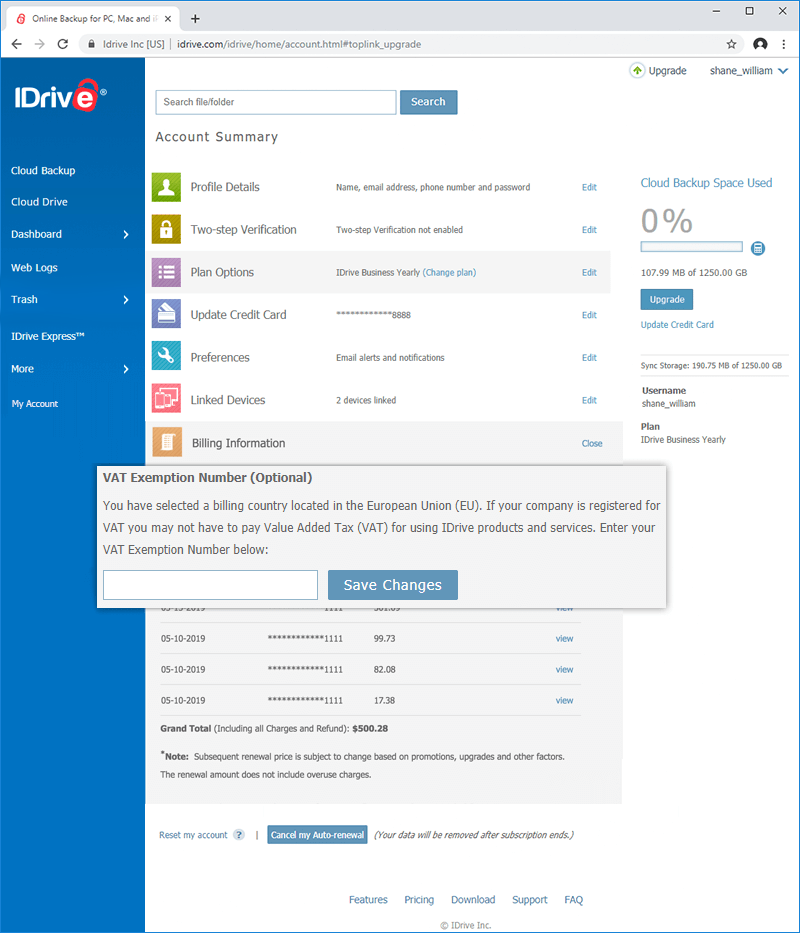
Yes, if your business is based in the EU region, you will have the option to add your VAT ID to your IDrive Business or IDrive Enterprise account.
To add VAT ID,
Sign in to your account via the web.
Click on your username, on the top right corner of the screen and select 'Account'.
Select 'Billing Information'.
Enter the VAT ID and click 'Save Changes'.
Note:
VAT is location based, so the field will appear in the 'Billing Information' section of your account, only if it is applicable for your chosen country.
VAT ID updated to your account may be validated by IDrive.
Does IDrive have a VAT number?
For information related to IDrive VAT number, send an email to support@idrive.com.
My account has been canceled? What should I do?
If your account is canceled due to any of the reasons listed below, you can reactivate the account by following the steps shown here:
Reason for account cancelation
How to reactivate
Your free trial has expired
Login to your account and upgrade your account to a paid subscription
Auto-renewal was disabled for your account and your subscription ended
Login to your account, update your credit card information and make payment for a subscription
There are pending charges against your account as your credit card could not be charged during auto-renewal
Login to your account, update your credit card information and pay your outstanding charges
You have canceled your account within 15 days of account creation and refund has been issued
Login to your account and update your credit card information